Yorkshire's charity sector is enormous. From large organisations like Leeds Community Foundation and St Gemma's Hospice to tiny grassroots groups run by two people and a shared inbox, the third sector in this region does extraordinary work on extraordinarily tight resources.
The problem is always the same: too much admin, too few people, and too little budget to fix it.
AI and automation are not going to replace the humans who make charities work. But they can take away a significant chunk of the repetitive, time-consuming tasks that stop those humans from doing the work that actually matters.
This is the practical guide to making that happen — with honest advice about what works, what does not, and what it actually costs.
The Admin Problem in the Third Sector
If you work at a Yorkshire charity, you already know this list:
- Donation processing and acknowledgements — receipting, thanking, recording, reconciling
- Grant reporting — pulling data from multiple systems into funder-specific formats
- Volunteer coordination — scheduling, reminding, tracking hours, managing availability
- Compliance and governance — policies, DBS checks, safeguarding records, trustee updates
- Communications — newsletters, social media, website updates, press releases
Most of these tasks are done manually, often by the same person who also manages service delivery, fundraising, and everything else. The result is burnout, errors, and work that simply does not get done.
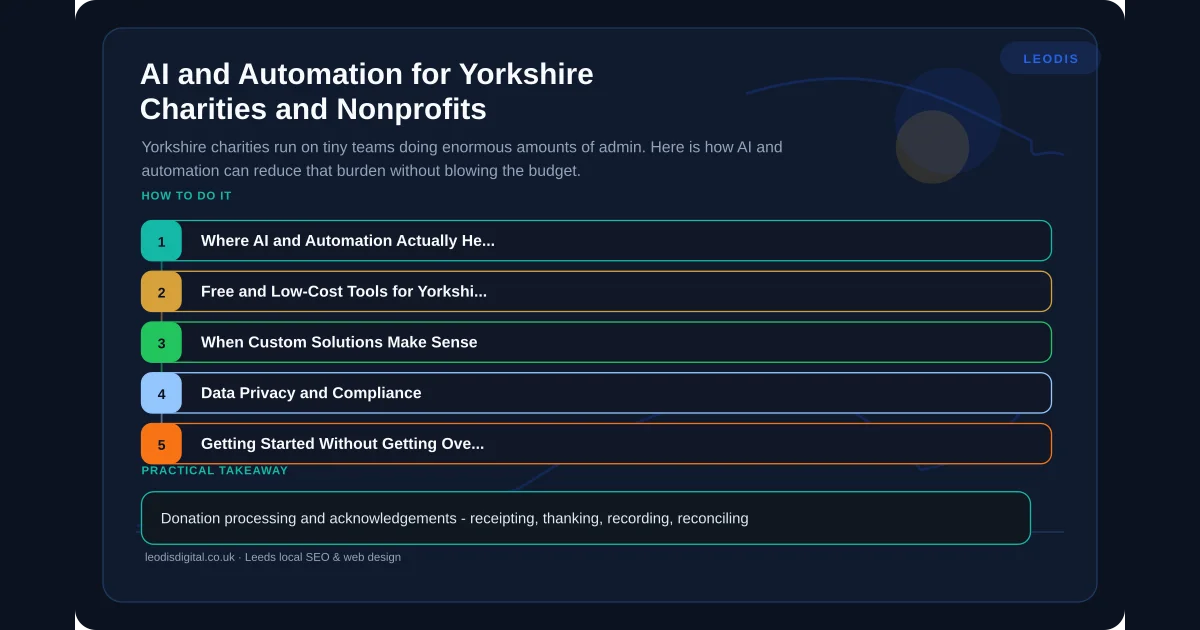
Where AI and Automation Actually Help
Not every problem needs AI. Some just need basic automation — if X happens, do Y. Others benefit from AI's ability to understand, summarise, or generate content. Here is where each applies.
Donation and Fundraising Administration
Basic automation can handle donation acknowledgement emails, Gift Aid claim preparation, and CRM data entry. When someone donates through your website, an automation can log the donation in your CRM, send a personalised thank-you email, flag Gift Aid eligibility, and add the donor to the appropriate communication list — all without anyone touching a keyboard.
AI can help with donor segmentation, identifying lapsed donors who might respond to re-engagement, and drafting personalised fundraising appeals based on giving history.
Tools to consider: Zapier (free tier available for nonprofits), Make (affordable for small workflows), Mailchimp (nonprofit discount), Beacon CRM (built for UK charities).
Grant Reporting
This is where charities lose days every quarter. Grant funders each want data in different formats, covering different periods, with different metrics. Staff end up pulling numbers from spreadsheets, databases, and email threads, then manually formatting reports.
Automation can pull data from your systems on a schedule and populate report templates automatically. If your data lives in a spreadsheet or database, the report structure can be pre-built so that generating it takes minutes rather than days.
AI can summarise qualitative data — service user feedback, case studies, impact narratives — into the concise formats funders want. It can also help identify trends in your data that strengthen your case for continued funding.
We covered the broader principles of workflow automation in our complete guide to workflow automation, and every point applies to charity operations.
Volunteer Management
Coordinating volunteers is a scheduling nightmare, especially for charities running multiple programmes across different locations.
Automation handles shift reminders, availability collection, schedule distribution, and hour tracking. A simple workflow can send volunteers their upcoming shifts, collect confirmations, flag gaps in coverage, and log completed hours — all automatically.
AI can optimise scheduling by matching volunteer availability, skills, and preferences to roles, and can predict no-shows based on historical patterns so you can arrange cover proactively.
Chatbots and FAQ Handling
Many charity websites receive the same questions repeatedly: opening hours, referral processes, eligibility criteria, how to donate, how to volunteer. A well-configured AI chatbot can handle these queries instantly, freeing up staff time and improving the experience for service users.
This is not the clunky chatbot of five years ago. Modern AI chatbots trained on your specific content can answer nuanced questions accurately and know when to escalate to a human.
For charities that provide advice services, a chatbot can handle initial triage — collecting basic information before connecting the person with the right adviser — reducing wait times and ensuring people reach the right service faster.
Communications and Content
AI is genuinely useful for charity communications:
- Drafting newsletter content from programme updates and impact data
- Generating social media posts from longer reports or blog articles
- Writing press releases from event details
- Summarising annual reports into accessible formats for different audiences
The key is using AI as a drafting tool, not a publishing tool. Everything should be reviewed and edited by someone who knows the charity's voice and the sensitivity of the content.
Free and Low-Cost Tools for Yorkshire Charities
Budget is always the constraint. Here are tools with genuine nonprofit pricing or free tiers:
Google Workspace for Nonprofits — free for eligible UK charities. Includes Gmail, Drive, Docs, and increasingly, AI features through Gemini.
Microsoft 365 for Nonprofits — free or heavily discounted. Includes Copilot AI features for eligible organisations.
Canva for Nonprofits — free Pro access, including AI image generation and design tools.
Make (formerly Integromat) — workflow automation with a free tier that covers basic charity needs. More affordable than Zapier for complex workflows.
ChatGPT — the free tier is useful for drafting, summarising, and brainstorming. The paid tier adds document analysis that is valuable for grant reporting.
Notion — free for small teams, with AI add-on. Good for internal knowledge bases, volunteer handbooks, and process documentation.
When Custom Solutions Make Sense
Off-the-shelf tools cover a lot of ground, but some charity operations have specific requirements that generic tools cannot meet. Common examples in Yorkshire:
- Multi-site service delivery tracking where you need to report different metrics to different funders from the same underlying data
- Complex referral pathways where service users move between partner organisations and you need shared visibility
- Bespoke impact measurement frameworks that do not map to standard CRM fields
- Integration between legacy systems that the charity cannot afford to replace
In these cases, a custom solution — even a relatively simple one — can save more time and money than trying to force generic tools to do something they were not built for.
We wrote about the broader case for custom software versus off-the-shelf tools, and the logic applies directly to charity operations.
Data Privacy and Compliance
Charities handle sensitive data: safeguarding records, health information, financial details, vulnerable service user data. Any AI or automation tool must comply with UK GDPR, and charities have a particular duty of care.
Practical steps:
- Audit where data goes — before connecting any AI tool, understand where it stores data and whether it uses your data to train its models
- Use UK/EU-hosted tools where possible — this simplifies data residency requirements
- Never put identifiable service user data into public AI tools — use enterprise versions with data processing agreements
- Document your processing — maintain a record of what data each tool accesses and why
- Train staff — ensure everyone who uses AI tools understands what they can and cannot share
For a broader view of choosing AI tools with compliance in mind, see our guide to choosing the right AI tools for your business.
Getting Started Without Getting Overwhelmed
The worst thing a small charity can do is try to automate everything at once. Start with one pain point — the task that consumes the most staff time relative to its complexity.
Week one: Map the process. Write down every step, every system involved, every decision point.
Week two: Identify what can be automated with existing tools you already have (Google Workspace, your CRM, your email platform).
Week three: Build one automation. Test it. Fix it. Let it run for a fortnight before adding another.
This incremental approach works because it builds confidence without creating new problems. A charity that automates one workflow properly will naturally see where the next automation should go.
What This Looks Like in Practice
A Yorkshire charity we worked with was spending roughly 15 hours per month on donation processing, acknowledgement emails, and Gift Aid preparation. We built a simple automation workflow that reduced that to under 2 hours — mostly review and exception handling.
That is 13 hours a month returned to actual charitable work. For a small team, that is transformative.
The entire solution cost less than a single day of consultancy from a large agency. That matters when your budget comes from public donations.
If your charity is drowning in admin and wants to explore what AI and automation could realistically do, we would welcome that conversation. We work with Yorkshire charities and understand the constraints you operate under. Get in touch and we will give you an honest assessment of where technology can help — and where it cannot.
Frequently Asked Questions
Can a small Yorkshire charity afford AI tools?
Yes. Many of the most useful AI tools for charities are free or have nonprofit pricing. Google Workspace for Nonprofits, Microsoft 365 for Nonprofits, and Canva for Nonprofits all include AI features at no cost. Custom automation through tools like Make or Zapier often falls within modest monthly budgets, and the time saved typically dwarfs the cost.
Is it safe for charities to use AI with donor data?
It can be, but you need to be deliberate about it. Any AI tool processing personal data must comply with UK GDPR. That means understanding where data is stored, whether it is used to train models, and whether you have a lawful basis for processing. We recommend starting with tools that keep data within the EU or UK and have clear data processing agreements.
What is the quickest AI win for a charity?
Automating repetitive admin tasks like donation acknowledgement emails, volunteer shift reminders, and report formatting. These are high-volume, low-complexity tasks where automation delivers immediate time savings without requiring any change to how the charity operates day to day.
Does Leodis Digital work with charities and nonprofits?
Yes. We have worked with Yorkshire charities on both websites and custom software. We understand that every pound spent on technology is a pound not spent on service delivery, and we build solutions that respect that reality. We will always have an honest conversation about what you actually need before recommending an approach.
Found this useful? Share it.