Slow Tools Cost More Than You Think
Every business owner understands that a slow website loses customers. We covered this in detail in our PageSpeed guide for UK businesses. But there is a parallel problem that gets far less attention: slow internal tools that waste staff time every single day.
Your CRM takes eight seconds to load a customer record. Your reporting dashboard spins for thirty seconds before showing yesterday's figures. Your job management system freezes when you try to search. These delays feel minor in isolation, but they compound across your team, every day, all year.
A tool that adds just ten seconds of unnecessary waiting per task, used fifty times a day by five staff members, wastes over 180 hours per year. That is more than four working weeks of productivity — lost to loading spinners.
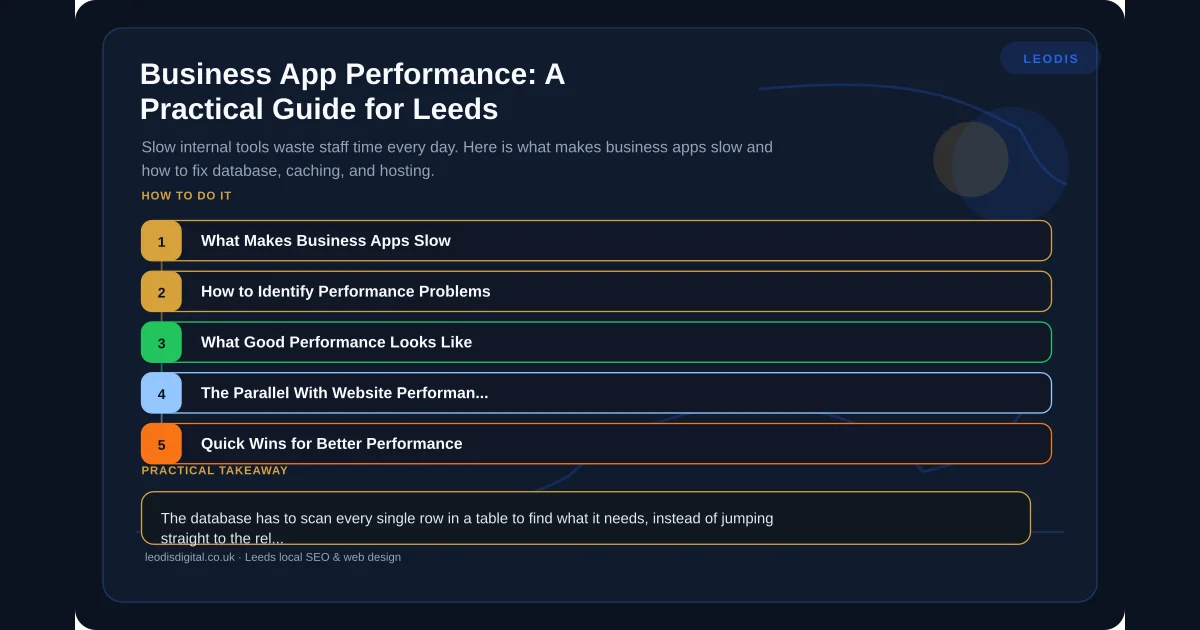
What Makes Business Apps Slow
Performance problems in business applications fall into a few common categories. Understanding which one is affecting your tools is the first step to fixing it.
1. Poor Database Queries
This is the single biggest cause of slow business applications. When an application needs to retrieve data — a customer record, a list of orders, a report — it sends a query to its database. A well-written query with proper indexes returns results in milliseconds. A poorly written one can take seconds or even minutes.
Common database problems include:
- Missing indexes: The database has to scan every single row in a table to find what it needs, instead of jumping straight to the relevant records.
- N+1 queries: The application makes one query to get a list, then a separate query for each item in that list. Fifty items means fifty-one queries when one or two would do.
- Fetching too much data: Pulling every column from a table when the application only needs three fields. Pulling a thousand records when the screen shows ten.
- No query optimisation: Queries written for correctness but never reviewed for performance. They work, but they work slowly.
2. No Caching
Caching means storing the result of an expensive operation so you do not have to repeat it every time. If your reporting dashboard recalculates the same figures from raw data every time someone opens it, that is wasted processing. The data has not changed since the last person looked at it five minutes ago.
Effective caching strategies include:
- Database query caching: Store query results for a set period so repeated requests are served instantly.
- Application-level caching: Keep frequently accessed data in memory rather than hitting the database for every request.
- Page fragment caching: Cache parts of a page that rarely change — navigation, reference data, configuration settings.
3. Bloated Frontends
Modern web application frameworks make it easy to ship a lot of JavaScript. Too easy. A business application built with a frontend framework can easily send megabytes of code to the browser before the user sees anything useful.
This matters more for business apps than most developers realise. Staff are often using these tools on standard office hardware, not high-spec developer machines. A JavaScript-heavy frontend that runs fine on a developer's MacBook can crawl on a five-year-old office PC.
4. Bad Hosting and Infrastructure
An application can be well-written and still perform badly if it is running on inadequate infrastructure. Under-provisioned servers, shared hosting environments, and poor network configuration all create bottlenecks.
Signs of infrastructure problems:
- Performance degrades at specific times of day (when load increases)
- The application is fast for one user but slow when ten people use it simultaneously
- Response times vary wildly with no change in query complexity
5. Lack of Asynchronous Processing
Some operations genuinely take time — generating a large report, processing an import file, sending bulk notifications. The mistake is making the user wait while these run. Good applications handle long-running tasks in the background and notify the user when they are complete, rather than freezing the interface.
How to Identify Performance Problems
You do not need to be a developer to start diagnosing performance issues. Here is a practical approach.
Time the Pain Points
Ask your team: what is slow? Which screens make you wait? Which actions take longest? Get specific. "The CRM is slow" is too vague. "Loading the customer list takes twelve seconds" is actionable.
Look for Patterns
Does the slowness happen at certain times? With certain data sets? For certain users? Patterns point to causes. If it is slow at month-end, it might be data volume. If it is slow for one team, it might be the specific features they use.
Check the Basics
Before diving into code, check the simple things. Is the server running out of memory? Is the disk full? Is the database growing without maintenance? These are surprisingly common causes in applications that have been running for years without attention.
Get a Performance Audit
For anything beyond the basics, you need someone to look at the application properly. A performance audit examines database queries, server resource usage, frontend load times, and infrastructure configuration. It identifies the specific bottlenecks and recommends targeted fixes. This is the software equivalent of the technical SEO audit — a systematic examination that finds the real problems rather than guessing.
What Good Performance Looks Like
Setting clear performance targets gives you something to measure against.
- Page loads: Under one second for standard screens. Under three seconds for complex reports or data-heavy views.
- Search: Results appearing as you type, or within one second of submitting a search.
- Data operations: Creating, updating, and deleting records should feel instant — under 500 milliseconds.
- Reports: Pre-calculated dashboards loading in under two seconds. On-demand reports completing within ten seconds for typical date ranges.
- Concurrent users: Performance should not noticeably degrade when your full team is using the system simultaneously.
These are the same principles that apply to website performance and conversion rates. Speed is not a technical nicety — it directly affects how effectively your team works.
The Parallel With Website Performance
In our Core Web Vitals guide, we explained how Google measures website performance across three dimensions: loading speed, interactivity, and visual stability. Business applications benefit from the same thinking.
Loading speed matters because staff open your tools constantly throughout the day. Every slow load interrupts their workflow.
Interactivity matters because business tools are interactive by nature — clicking, typing, searching, filtering. If the interface does not respond immediately to user input, productivity drops and frustration rises.
Visual stability matters because staff need to trust that the button they are about to click is actually where it appears to be. Layouts that shift as content loads cause misclicks and errors.
Quick Wins for Better Performance
If your business application is slow, these fixes typically deliver the biggest improvements with the least effort:
- Add database indexes on columns used in search and filtering. This alone can turn a ten-second query into a sub-second one.
- Implement basic caching for data that does not change frequently. Reference data, configuration settings, and yesterday's reports do not need to be recalculated on every request.
- Paginate large lists. Do not load a thousand records when the user can only see twenty at a time.
- Review hosting resources. Sometimes the cheapest fix is simply giving the server more memory or moving to a faster database instance.
- Move heavy processing to background jobs. Report generation, data imports, and bulk operations should not block the user interface.
When to Fix and When to Rebuild
Not every slow application needs replacing. If the core logic is sound and the data model is solid, targeted performance improvements can extend its useful life significantly.
Rebuilding makes sense when the fundamental architecture cannot support your current needs — when the application was designed for ten users and you now have fifty, or when the data model makes efficient queries impossible. This is where a proper software discovery process helps you make the right call.
Performance Is Not Optional
A slow internal tool is not just an inconvenience — it is a tax on every task your team performs. Unlike a slow website where visitors leave, your staff cannot leave. They sit and wait, multiple times a day, every working day. The cumulative cost is substantial, and the fix is usually more straightforward than business owners expect.
If your business tools are slowing your team down, talk to us. We will identify what is causing the problem and give you a clear plan to fix it.
Frequently Asked Questions
How slow is too slow for an internal business application?
If a page or action takes more than two seconds to load, it is too slow. Staff using an internal tool dozens of times per day will lose significant productive time to delays that add up across the week. The target should be under one second for most actions, with complex reports and data-heavy operations completing within three seconds.
What usually causes slow business application performance?
The most common causes are unoptimised database queries that scan entire tables instead of using indexes, no caching for data that does not change frequently, bloated frontend code loading unnecessary libraries, and under-resourced hosting. Most performance problems come from the database layer rather than the frontend.
Can existing business software be made faster without rebuilding it?
In most cases, yes. Adding database indexes, implementing caching, optimising queries, and upgrading hosting can deliver significant performance improvements without a full rebuild. A performance audit identifies the specific bottlenecks and the most cost-effective fixes.
Does Leodis Digital optimise business application performance?
Yes. We audit and optimise business applications for UK companies, identifying performance bottlenecks and implementing targeted fixes. We also build new applications with performance as a core requirement from day one. Contact us at /contact to discuss your application performance.
Found this useful? Share it.