The Question Every Growing Business Faces
Your UK Business has grown beyond the startup phase. The tools that worked when it was just you and a laptop are starting to strain. You are juggling multiple subscriptions, living in spreadsheets, and your team is spending time on workarounds that should not exist.
Two paths forward. Buy another off-the-shelf SaaS product and hope it covers more of your requirements. Or invest in custom software built specifically for how your business works.
This guide compares both options honestly — because the right answer depends on your specific situation, not on which option a software company wants to sell you.
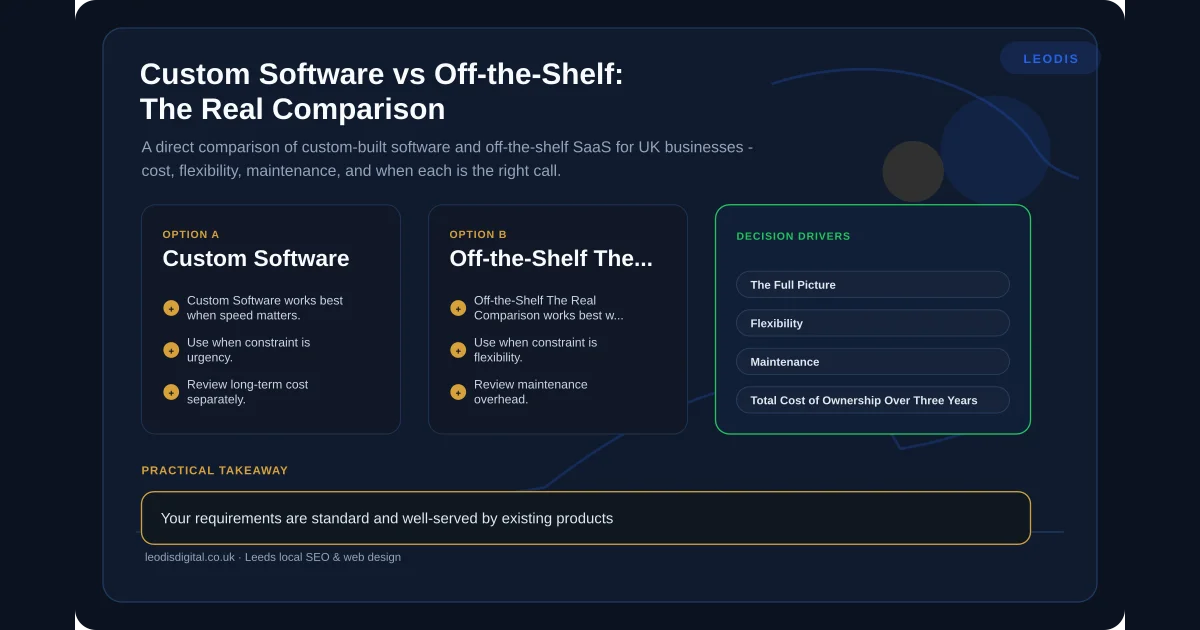
Cost: The Full Picture
Off-the-Shelf (SaaS)
The attraction of SaaS is low upfront cost. Fifty to two hundred pounds per month for most business tools. No development required. Start using it today.
But the total cost over time tells a different story. A tool at one hundred pounds per month costs twelve hundred per year. Over five years, that is six thousand pounds — and you do not own anything. Stop paying and you lose access to the tool and, in some cases, your data.
Now multiply this across every tool in your stack. CRM, project management, invoicing, scheduling, email marketing, form builder, reporting dashboard. A typical Leeds SME runs five to ten SaaS subscriptions. Total monthly cost: three hundred to a thousand pounds. Annual cost: three thousand six hundred to twelve thousand pounds. Over five years: eighteen to sixty thousand pounds.
And prices increase. SaaS companies raise prices regularly, typically 5-10% annually. The tool that costs a hundred pounds per month today costs over a hundred and sixty in ten years.
Custom Software
Custom software has a higher upfront cost. A focused tool for a Leeds SME — a job tracker, a quote generator, a client portal — typically costs between three and eight thousand pounds. More complex applications with multiple integrations range from eight to twenty thousand.
Ongoing costs are hosting and maintenance — typically fifty to two hundred pounds per month depending on complexity and usage. You own the code. You own the data. There is no subscription that increases annually.
The Real Comparison
For a single function, SaaS is almost always cheaper in the short term and often cheaper overall. You do not need custom accounting software when Xero exists.
For multiple interconnected functions — especially when you are paying for several SaaS tools that overlap and still leave gaps — the economics shift. If you are spending eight hundred pounds per month across multiple subscriptions and still maintaining spreadsheets to cover the gaps, a twelve thousand pound custom solution that replaces three of those subscriptions and eliminates the spreadsheets pays for itself within two years.
This mirrors the same calculation we discuss in our WaaS vs traditional web design comparison — the right answer depends on what you are actually comparing.
Flexibility
Off-the-Shelf
SaaS tools offer the flexibility their designers anticipated. If your requirements match what the product was built for, you are well served. If they do not, you are limited to workarounds.
You cannot change how the software works. You can configure it within the options provided, but you cannot add fields that do not exist, create workflows the system does not support, or display data in ways the interface does not offer. Feature requests go into a queue alongside thousands of other customers, and there is no guarantee your request will be built.
Custom Software
Custom software does exactly what you need because it was built for your requirements. Need a field that tracks a metric specific to your industry? Built. Need a workflow that matches your actual process rather than a generic best practice? Built. Need a dashboard that shows the specific KPIs you care about? Built.
The trade-off is that you pay for every feature. SaaS tools include features you might not use yet but could use later — included in the subscription. Custom software only has what you specify.
The Practical Middle Ground
The smartest approach for most UK businesses is not pure custom and not pure SaaS. It is custom software for the processes that are unique to your business, connected through API-first architecture to SaaS tools for standard functions.
Keep Xero for accounting. Keep Google Workspace for email. Build custom software for your job management, quoting process, or client portal — the things that differentiate your business and that no generic tool handles well.
Maintenance
Off-the-Shelf
The vendor handles updates, security patches, server maintenance, and uptime. This is a genuine advantage. You do not need to think about whether your software is running — it just works. When something breaks, it is their problem to fix.
The flip side: you have no control over when updates happen or what they change. SaaS tools regularly change interfaces, remove features, or alter pricing without notice. Your team wakes up to a redesigned interface and has to relearn their tools. Features you relied on get deprecated. APIs change, breaking your integrations.
Custom Software
You are responsible for maintenance, either directly or through the developer who built it. This means ongoing cost but also ongoing control. Updates happen when you decide, not when the vendor decides. Features are never removed without your say-so. The interface stays consistent until you choose to change it.
The risk is neglect. Custom software that is never updated becomes a security liability and gradually falls behind current standards. Regular maintenance — security patches, dependency updates, minor improvements — is essential and should be budgeted for from the start.
At Leodis Digital, we offer ongoing maintenance agreements for the software we build. Scheduled updates, proactive security patching, and a responsive support channel. Your software stays current without you needing to manage it.
Total Cost of Ownership Over Three Years
The upfront cost comparison is misleading without a longer view. Here are two worked examples based on real scenarios from UK businesses.
Example One: Job Management for a Trades Business
SaaS route: A job management platform at eighty-five pounds per month for five users. Over three years: three thousand and sixty pounds in subscriptions. Add a second tool for quoting at forty pounds per month (one thousand four hundred and forty pounds over three years) because the job management tool's quoting feature is too basic. Add a Zapier plan at thirty pounds per month to connect them (one thousand and eighty pounds). Total three-year cost: five thousand five hundred and eighty pounds. You own nothing. Prices have increased twice. Your data export is a CSV dump that loses all relational context.
Custom route: A combined job management and quoting tool built for your specific workflow: seven thousand pounds. Hosting and maintenance at seventy-five pounds per month (two thousand seven hundred pounds over three years). Total three-year cost: nine thousand seven hundred pounds. You own the code and the data. No price increases. No feature removals.
At the three-year mark, the custom option costs more. But from year four onwards, the SaaS route continues at nearly two thousand pounds per year (and rising), while the custom route drops to nine hundred pounds per year for maintenance alone. By year five, the custom option is cheaper overall. By year ten, significantly so.
Example Two: Client Portal for a Professional Services Firm
SaaS route: A client portal subscription at one hundred and fifty pounds per month for twenty clients. Additional clients cost extra. Over three years: five thousand four hundred pounds minimum — more as the client base grows. A separate document management subscription at sixty pounds per month adds another two thousand one hundred and sixty pounds. Total: seven thousand five hundred and sixty pounds, with costs increasing as the firm grows.
Custom route: A client portal with integrated document management: twelve thousand pounds. Hosting at one hundred pounds per month (three thousand six hundred pounds). Total three-year cost: fifteen thousand six hundred pounds. Higher upfront, but fixed ongoing costs regardless of how many clients use it. The firm that grows from twenty to fifty clients pays the same monthly hosting fee. The SaaS firm pays significantly more.
Data Ownership and Portability
Off-the-Shelf
You use the software, but the vendor controls the data infrastructure. Most reputable SaaS providers let you export your data, but the format, frequency, and completeness of exports vary. Some make it easy. Some make it deliberately difficult — because your data is what keeps you paying.
If the vendor goes out of business, changes their terms, or gets acquired and pivots their product, your data is at risk. You are dependent on their continued operation and goodwill.
Custom Software
You own the data — fully, unconditionally. It sits on infrastructure you control (or that your developer manages on your behalf). You can access it in any format, at any time, through any means. No export limitations, no vendor dependency, no risk of losing access.
for UK businesses handling sensitive client information — financial data, legal documents, health records — this is not a theoretical concern. Data ownership and control are regulatory requirements, and custom software gives you the level of control that compliance demands.
Scaling
Off-the-Shelf
SaaS tools scale easily in terms of adding users — most charge per seat or per tier. But they scale poorly in terms of functionality. As your business grows and your processes become more complex, the gap between what the SaaS tool does and what you need it to do widens.
The SaaS vendor is building for their entire customer base, not for your specific scaling challenges. Features that matter to a hundred customers get built. Features that matter to ten do not.
Custom Software
Custom software scales in every direction because it is built for your specific requirements. Need to handle ten times the volume? The architecture can be designed for it. Need to add new user roles with different permissions? Built when you need it. Need to integrate with a new system as your business expands? The API layer makes it straightforward.
The constraint is cost — scaling custom software requires development work, which requires budget. But the development is targeted at exactly what you need, not at features irrelevant to your business.
Integration
Off-the-Shelf
SaaS tools integrate with other SaaS tools — sometimes. Popular platforms like Zapier connect many tools, but the integrations are often shallow. They can trigger actions and pass basic data, but they cannot handle complex workflows, conditional logic, or data transformation.
Native integrations between SaaS tools vary in quality. Some are robust. Some are afterthoughts that break regularly. And if you need to connect two tools that do not have a pre-built integration, you are stuck.
Custom Software
Integration is a core design consideration in custom software, especially when built with API-first principles. Your custom tool connects to your accounting software, your CRM, your email platform, and any other system with an API — with exactly the data mapping, transformation, and workflow logic your business requires.
This is where custom software often delivers the most value — not by replacing your existing tools, but by sitting between them and handling the data flow that currently requires manual work.
A Decision Framework
Use this framework to assess which approach is right for your specific situation.
Choose off-the-shelf when:
- Your requirements are standard and well-served by existing products
- You are a small team (under five people) with straightforward processes
- You need to get started immediately without development time
- Your budget is constrained and monthly subscription costs are manageable
- The function is not core to your competitive advantage
Choose custom when:
- Your processes are unique to your business or industry
- You are maintaining spreadsheets alongside your existing software
- You are paying for multiple overlapping subscriptions that still leave gaps
- Data ownership and control are important (regulatory or strategic)
- You need integration between systems that do not connect natively
- The manual work your current tools create is costing significant time
Choose a hybrid approach when:
- Standard functions (accounting, email) are well-served by SaaS
- Core business processes need custom tools
- You need systems to communicate that currently do not
- You want to minimise upfront cost while solving specific problems
For most UK SMEs we work with, the hybrid approach delivers the best balance of cost, flexibility, and practical value. Keep what works. Build what is missing. Connect everything.
When to Start Custom and Migrate from SaaS
Some businesses know from day one that their processes are unique enough to warrant custom software. But for most, the smarter path is starting with SaaS and migrating to custom when the pain justifies it. Here is how to manage that transition.
Document your workarounds now. Every time your team does something outside the SaaS tool — a spreadsheet, a manual email, a copy-paste between systems — note it. These workarounds are your future requirements specification. When you eventually brief a custom build, this list tells the developer exactly what the SaaS tool could not do.
Ensure your data is exportable. Before committing to any SaaS platform, test the export. Download your data. Can you get everything out? In what format? Does the export preserve relationships between records, or does it flatten everything into disconnected CSVs? The ease of this export determines how painful the eventual migration will be.
Plan the transition in phases. You do not need to replace every SaaS tool at once. Start by building custom software for the process that causes the most friction, while keeping your other SaaS tools running. Connect the custom tool to the remaining SaaS platforms through APIs. Over time, you can replace additional SaaS tools as the returns justify it — or keep them indefinitely if they continue to serve you well.
Budget for data migration. Moving data from a SaaS platform to a custom system is a project in itself. Data needs cleaning, mapping, and validation. Records need to maintain their relationships. Historical data needs to be accessible. A realistic migration budget is ten to twenty percent of the custom build cost.
The Bottom Line
There is no universally correct answer. Off-the-shelf software is efficient, affordable, and sensible for standard business functions. Custom software is precise, owned, and necessary when your business has outgrown what generic tools can do.
The mistake is treating it as a binary choice. The smartest businesses use both — SaaS where it works, custom where it matters — connected through APIs so that data flows freely and nobody spends their day copying information between systems.
If you want to understand what custom software actually involves or explore how AI automation fits into the picture, those guides cover each topic in depth.
Not sure which approach is right for your business? Talk to us. We will assess your current setup and give you an honest recommendation — even if that recommendation is to stick with what you have.
Frequently Asked Questions
Is custom software always more expensive than SaaS?
Not always, and often not over time. Custom software has a higher upfront cost but no ongoing subscription fees beyond hosting and maintenance. A SaaS tool at fifty pounds per month costs six hundred pounds per year and six thousand over ten years — with no ownership at the end. A custom tool costing four thousand pounds that does the same job is cheaper within seven years and you own it permanently. The calculation depends on the specific tools, the number of users, and how long you plan to use them.
Can I start with off-the-shelf and switch to custom later?
Yes, and this is often the smartest approach. Off-the-shelf tools let you establish your processes and understand your requirements without a large upfront investment. When those tools start limiting you — when workarounds become the norm and you are paying for features you do not use while lacking features you need — that is the natural point to consider custom software. The key is ensuring your data is exportable from the SaaS platform so the transition is clean.
What about hybrid approaches — custom software that integrates with SaaS tools?
This is what we recommend most often. Keep the SaaS tools that work well for standard functions — accounting, email, basic CRM — and build custom software for the processes that are unique to your business. Connect them through APIs so data flows between them automatically. You get the reliability of established SaaS platforms plus the flexibility of custom tools, without paying for a fully custom solution across every function.
How do I know if my business has outgrown off-the-shelf tools?
Three signs are reliable indicators. First, your team maintains spreadsheets alongside the official software because the software cannot track everything you need. Second, you are paying for multiple SaaS subscriptions that overlap in functionality but none covers your full requirements. Third, you spend significant time on workarounds — exporting data, reformatting it, and importing it elsewhere. If all three are true, you have outgrown off-the-shelf.
Found this useful? Share it.