The Problem With Off-the-Shelf
Every solicitors firm and accountancy practice in the UK uses software. Case management systems, practice management tools, document storage, client communication platforms. Most of it was chosen because it was the industry standard at the time, or because a competitor used it, or because the salesperson was persuasive.
And most of it does not quite fit.
The case management system requires six clicks to do something your team does fifty times a day. The accounting platform exports data in a format that does not match your reporting needs. The client portal looks professional but forces clients through a workflow designed for a different type of practice. The compliance tracking spreadsheet — because it is always a spreadsheet — has become a liability in itself.
This is not a failure of your team. It is the fundamental limitation of generic software applied to specific practices.
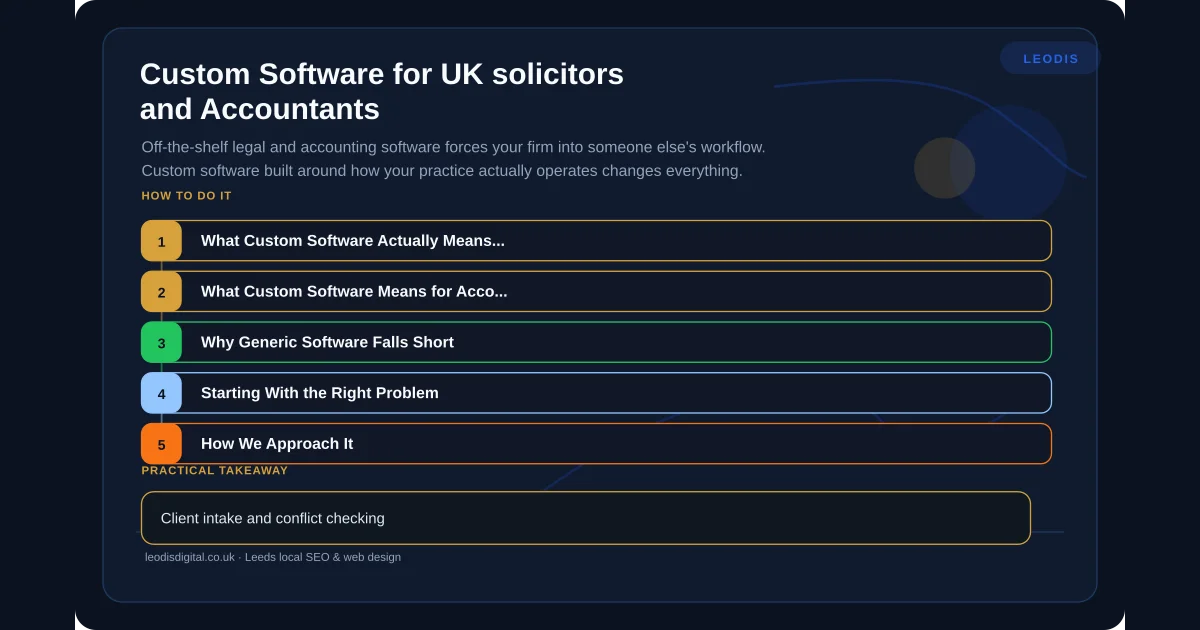
What Custom Software Actually Means for Solicitors
Custom software for a legal practice is not about replacing your entire tech stack. It is about identifying the specific workflows where generic tools create friction, error, or wasted time — and building precisely targeted solutions.
Client Intake Automation
Most UK solicitors still handle new client enquiries through a combination of phone calls, emails, and manually completed forms. The information gathered varies depending on who takes the call. Data ends up in multiple places. Conflict checks happen late, sometimes after significant time has already been invested.
A custom intake system captures structured information from the first point of contact. The prospective client fills in a guided form — tailored to your practice areas — that captures exactly what you need for an initial assessment. Conflict checks run automatically against your existing client database. The intake data flows directly into your case management system without re-keying. Your team receives a complete, structured brief before the first conversation.
The time saving is significant. But the real value is consistency — every new matter starts with the same quality of information, regardless of who handles the initial contact.
Case Progress Portals
Clients want to know what is happening with their matter. They phone to ask. Your staff spend time answering questions that could be answered by a status update. This is expensive for you and frustrating for the client.
A case progress portal gives clients secure, real-time visibility of their matter status. Not the internal detail — the client-appropriate summary. Documents shared, milestones reached, next steps required, outstanding actions on their side. This reduces inbound enquiry volume, improves client satisfaction, and creates a documented communication trail that supports your regulatory obligations.
Document Assembly
If your fee earners are still opening template documents in Word and manually replacing placeholder text, they are doing work that software should handle. Document assembly tools pull matter data from your case management system and generate correctly populated documents — engagement letters, standard correspondence, court forms — in seconds rather than minutes. The error rate drops to near zero because the data is pulled from a single source of truth rather than typed from memory or copied from another document.
Compliance Tracking
SRA compliance requirements are not optional, and tracking them in spreadsheets is a risk. A custom compliance dashboard can monitor key dates — professional indemnity renewal, AML training deadlines, practising certificate renewals, file review schedules — and surface what needs attention before it becomes urgent. For firms with multiple fee earners, this moves compliance from a reactive scramble to a managed process.
What Custom Software Means for Accountants
Accountancy practices face different operational pressures, but the underlying problem is the same: generic software that creates unnecessary manual work.
Automated Data Extraction
Your clients send you receipts, bank statements, and invoices in every format imaginable — photos of crumpled receipts, forwarded emails, PDFs, screenshots. Your team spends hours manually entering this data into your accounting platform.
AI-powered data extraction can process these documents automatically. A client photographs a receipt, uploads it through a portal or sends it via email, and the system extracts the date, amount, vendor, and VAT treatment — ready for review rather than manual entry. This is not speculative technology. It works now, and the accuracy is high enough that your team reviews and approves rather than enters from scratch.
Client Document Portals
Tax season creates a predictable bottleneck: chasing clients for documents. A client portal with a structured checklist — P60 uploaded, dividend vouchers uploaded, rental income statement outstanding — gives both you and your client clear visibility of what is needed and what is missing. Automated reminders replace manual chasing. Your team can see at a glance which clients are complete and which need follow-up, without maintaining a separate tracking system.
Making Tax Digital Integration
MTD compliance requires quarterly digital submissions, which means your workflow needs to support ongoing data collection rather than an annual batch process. Custom tooling can bridge the gap between your clients' actual record-keeping habits and the structured data HMRC requires — automating the transformation of messy real-world data into compliant digital submissions.
Tax Season Workflow Management
Every accountancy practice has a January crunch. Custom workflow tools can manage the pipeline — tracking each client's self-assessment through stages from documents received to review complete to filed — with automated alerts when deadlines approach and clear visibility of team capacity. This is the kind of operational tooling that generic project management software handles poorly because it does not understand the specific stages and dependencies of tax return processing.
Why Generic Software Falls Short
The professional services sector has specific requirements that generic business software does not address well. Regulatory compliance varies by profession and changes regularly. Client confidentiality requirements are strict. Data handling obligations under GDPR are heightened for sensitive legal and financial information. Multi-party matter management creates workflow complexity that simple task management cannot model.
Generic tools handle the common case adequately. They handle your specific case with workarounds, manual processes, and spreadsheets that bridge the gaps. Over time, these workarounds become embedded in your practice — invisible costs that everyone works around but nobody quantifies.
If your firm already has a strong online presence through local SEO for professional services, custom software is the natural next step — converting the enquiries your website generates into efficiently managed, well-served clients.
Starting With the Right Problem
The mistake firms make with custom software is starting too big. Do not attempt to replace your entire practice management system in one project. Instead, identify the single workflow that causes the most friction, costs the most time, or creates the most risk — and build a focused solution for that.
Common high-impact starting points for solicitors:
- Client intake and conflict checking
- Document assembly for high-volume matter types
- Client-facing case progress portal
Common high-impact starting points for accountants:
- Receipt and document collection portal
- Tax season workflow and deadline tracking
- Automated data extraction from client documents
Each of these can be scoped, built, and delivering value within weeks rather than months. Once you have one workflow working well, you have both the confidence and the operational understanding to tackle the next.
How We Approach It
At Leodis Digital, we build custom software for Leeds professional services firms with the same approach we apply to building websites that actually perform — start with the business problem, not the technology. We scope tightly, build iteratively, and deliver working software early rather than promising everything and delivering late.
Every project starts with understanding your current workflow in detail — not what your software manual says you should do, but what your team actually does day to day. The gap between those two things is where custom software creates value.
If your firm is spending hours on manual processes that could be automated, or working around software limitations that cost you time and accuracy, get in touch. We will assess your workflows and tell you honestly where custom software will deliver a return — and where your existing tools are good enough.
Frequently Asked Questions
How much does custom software cost for a small solicitors or accountancy firm?
It depends entirely on scope, but a focused tool — say, a client intake portal or a document upload system — can start from a few thousand pounds. The key is starting with a single high-impact workflow rather than trying to replace your entire tech stack at once. We scope every project with a clear cost before any work begins, so there are no surprises.
Can custom software integrate with existing tools like Clio, Xero, or QuickBooks?
Yes. Most modern accounting and legal platforms offer APIs that allow custom software to read and write data. A well-built integration means your custom tool works alongside your existing systems rather than replacing them — pulling data from Xero for automated reporting, or pushing client intake data into Clio without manual re-entry.
How long does it take to build a custom client portal for a professional services firm?
A focused client portal — secure login, document upload, case or job status tracking — typically takes six to twelve weeks from scoping to launch. More complex builds with integrations, automated workflows, and compliance features take longer. We run projects in phases so you get usable software early, not a big reveal after six months of development.
Is custom software secure enough for handling sensitive legal and financial data?
It can be more secure than off-the-shelf tools, because it is built to your specific security requirements rather than a generic standard. We build with encryption at rest and in transit, role-based access controls, audit logging, and GDPR compliance as non-negotiable defaults. For regulated firms, security is a design constraint from day one, not a feature bolted on afterwards.
Found this useful? Share it.